
Mobile Development
86 courses8 categories
Part of LearnCreative
Mobile development covers building applications that run natively on iOS and Android, plus the cross-platform frameworks that share code between them. The topic has stabilized into roughly three production paths: pure native (Swift / SwiftUI for iOS, Kotlin with Jetpack Compose for Android), cross-platform with React Native or Flutter, and hybrid web-based with Capacitor or Cordova for apps where rendering performance matters less than development speed.
The choice between paths usually comes down to team composition and product requirements. Native gives the best performance, full access to platform APIs, and the cleanest user experience but requires twice the engineering capacity. React Native fits teams already in the React ecosystem who can share most business logic with their web app. Flutter offers the most consistent visual fidelity across platforms with a single Dart codebase. Hybrid is rarely the right choice for green-field consumer apps but works for B2B internal tools.
What you'll find under this topic
- Native iOS: Swift 5.9+, SwiftUI, UIKit, Xcode, Combine, async/await
- Native Android: Kotlin, Jetpack Compose, Coroutines, modern Android architecture
- React Native: Expo SDK, Expo Router, native modules, EAS Build / OTA updates
- Flutter: Dart, widgets, state management (Riverpod, Bloc), Cupertino vs Material
- Cross-platform alternatives: Ionic with Capacitor, NativeScript, .NET MAUI
- Mobile-specific concerns: offline-first sync, push notifications, deep linking, in-app purchases
- App-store submission: TestFlight, Play Console phased rollouts, app review process
Mobile roles exist at every product company with significant mobile traffic — and that's most of them now. Discord, Coinbase, Shopify, Microsoft, Spotify, Uber, Airbnb, and almost every consumer SaaS startup has a mobile team. The skill set transfers between employers but the platform-specific knowledge (Apple App Store policies, Android's fragmentation challenges) takes years to internalize.
Categories(8)


Courses(86)
Showing 1–30 of 86 courses
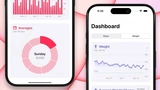 Updated 1mo agoSean Allen guides a full iOS 26 portfolio app using SwiftUI, HealthKit, Swift Charts, and on-device Foundation Models AI.14h 45m
 Updated 6mo agoIn-depth Understanding of Coroutines in Kotlin. Learn how to apply asynchronous programming in practice. Step-by-step training with examples by Dave Leeds.10h 8m5/5
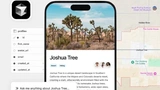 Updated 6mo agoCreate mobile applications for iOS and Android using Cursor, mastering full-stack development and integration with modern tools.7h 39m
 Updated 10mo agoLearn to build a full stack todo app with TypeScript, Turborepo, tRPC, Next.js, NestJS, and React Native. You build web, backend, and mobile parts with steps.2h 47m
 Updated 1y agoEnhance your mobile app development skills with the updated course based on Expo SDK 52 .13h 11m5/5
 Updated 1mo agoDomina las herramientas del desarrollador iOS: gestión de builds en Xcode, depuración de fallos, CocoaPods y CI/CD con Jenkins y Fastlane.16h 46m
 Updated 1y agoUnlock the potential of your iOS app by integrating captivating animations with the power of Rive and SwiftUI.2h 54m
 Updated 1y agoThis comprehensive course is dedicated to integrating advanced AI tools into the workflow of development in React Native, which allows for a radical change in a13h 53m5/5
 Updated 1y agoEmbark on a journey to master SwiftUI by integrating modern artificial intelligence capabilities into your app development process.9h 5m
 Updated 1y agoIn this course, we will explore the new features of SwiftUI 6 and Xcode 16 for creating applications for iOS 18. You will learn how to work with mesh gradients4h 35m
 Updated 1y ago"Design and Prototyping for iOS 18" offers an exciting deep dive into the world of mobile design.3h 15m5/5
 Updated 1mo agoBuild a full JWT authentication flow for a React Native mobile app, using React Hook Form, Zod validation, and the Expo SDK.2h 30m
 Updated 1y agoUnlock the Power of Universal AI Recording with our comprehensive course that guides you through creating an AI recorder using cutting-edge technologies such.2h 1m
 Updated 2y agoLearn to leverage the power of Supabase, an open-source Firebase alternative, to add robust backend functionalities to your React Native app with Expo.1h 25m
 Updated 1mo agoLearn TanStack Query, Zustand with MMKV, and gesture-based animation to build fast, responsive, data-driven mobile apps.2h 9m
 Updated 1mo agoReact Native course on SQLite, drawer navigation, and local notifications, built around a real service-technician call app.1h 45m
 Updated 1mo agoText-based project course building a full event system with React Native and an Express API, including authentication and registration.5/5
 Updated 2y agoCreate anything you want with Flutter. Master Flutter with the support of two experienced Google Developer experts.1h 5m
 Updated 2y agoYou learn how to set flavors, watch errors, add analytics, and handle app release. This course shows you how to ship and track your Flutter app in stores.19m
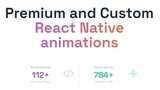 Updated 1mo agoA library of around 100 React Native animation components -- fades, parallax, gestures -- with source code to learn from.
 Updated 2y agoShip Mobile Fast is a template for developing mobile applications based on React Native and Expo, providing ready-to-use features such.
 Updated 1mo agoGo from beginner to publishing your first iOS and Android app with React Native, Expo, and hands-on project code review.9h 2m5/5
 Updated 1mo agoBuild seven real React Native and Expo projects -- including games and animations -- for a genuine mobile dev portfolio.15h 56m5/5
 Updated 2y agoWelcome to the iOS & Swift - MVVM, Combine, SnapKit, Snapshot/UI/Unit Tests course! In this course, I share my learnings as a professional iOS developer with 64h 40m
 Updated 2y agoWelcome to the Complete iOS App Development Bootcamp. With over 39,000 5 star ratings and a 4.8 average my iOS course is the HIGHEST RATED iOS Course in the his59h 45m
 Updated 1mo agoSwiftUI course for iOS developers moving from UIKit: declarative interfaces, live previews, and a full app built from scratch.3h 58m
 Updated 2y agoHave you ever wondered how applications are built in the real world? Do big software companies utilize the Storyboard to build out their apps? Speaking from my17h 24m
 Updated 2y agoExplore private UIKit APIs using the reverse engineering tool Hopper Disassembler and then use your advanced knowledge of UIKit's hidden secrets to your advanta32m
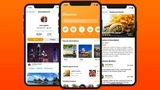 Updated 2y agoSwiftUI is now in its second iteration and available for developers through Xcode 12. In this course, I'd like to teach you how to develop a real world applicat11h 28m
 Updated 2y agoLevel up your SwiftUI skills .Get experience with MapKit & CloudKit *Working with CloudKit requires an Apple Developer account.23h 29m
Related topics
Frequently asked questions
- Native vs cross-platform mobile — which to learn?
- Native (Swift for iOS, Kotlin for Android) for highest quality, best platform integration, and the strongest senior pay. Cross-platform (React Native, Flutter) for faster iteration, code sharing, and a much larger junior job market. Most teams pick one based on whether quality or shipping speed matters more; both paths sustain solid careers.
- React Native vs Flutter?
- React Native if your team already writes JavaScript or TypeScript, or you want maximum web-skill overlap; Meta, Shopify, Microsoft, and many startups standardised on it. Flutter for pixel-perfect UI consistency, strong tooling, and an increasingly mature ecosystem; Google, BMW, and parts of Alibaba ship Flutter at scale. Both are credible production choices.
- Is mobile development still a strong career bet?
- Yes — every meaningful consumer product still needs apps, the discipline pays well, and the talent market is tighter than the web. Native iOS engineers in particular remain in short supply. The senior end of mobile (performance, accessibility, architecture, native-bridge work for cross-platform stacks) is well-paid and not at risk of commoditisation.
- Do I need a Mac to develop for iOS?
- Effectively yes. Xcode runs only on macOS, and code signing plus Apple's distribution toolchain assume Apple hardware. Cloud Mac services (MacStadium, MacInCloud) work for occasional builds but aren't comfortable for daily development. If iOS is the goal, budget for a Mac before anything else.
- How long until I can ship a real mobile app?
- 3–6 months part-time for a small but polished app, given prior software-engineering experience. Hireable native depth (memory management, lifecycle, platform APIs, accessibility, store submission) takes 9–18 months. Cross-platform stacks shorten the timeline somewhat at the cost of native-quality polish on the edges.