CourseFlix

Build a React Native mobile app with Cursor

7h 39m 50s
English
Paid

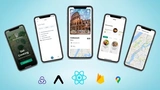
Embark on a journey to build a cutting-edge mobile application with our comprehensive course. You will develop a fully functional app for both iOS and Android using the innovative Cursor 2.0 platform, while integrating leading tools such as Expo, Supabase, Loops, OpenAI, and RevenueCat.

Course Overview

This course offers a deep dive into the mobile app development process, covering every stage from design and user experience to advanced functionalities. We'll guide you through authentication, database management, payment systems, email notifications, and AI integration. A particular emphasis is placed on user experience (UX) to ensure your app is user-friendly and stable, ready to thrive in real-world conditions.

Course Objectives

Our primary goal is to equip you with the skills needed to create native mobile applications from scratch, adhering to professional development practices. You'll gain hands-on experience with version control using Git and GitHub, setting a solid foundation for any future app development projects you wish to pursue.

Who Should Enroll?

This course is designed for anyone eager to learn full-stack mobile development using Cursor, regardless of your programming background. The skills you develop here are not only applicable to Cursor but also easily transferable to platforms like Windsurf, Cline, and various AI-oriented IDEs.

Key Learning Outcomes

By the end of this course, you will be able to:

  • Develop mobile applications for iOS and Android using Cursor
  • Leverage Expo for native capabilities and streamlined deployment
  • Craft a cohesive and polished mobile user interface
  • Implement authentication, manage data, and execute edge functions with Supabase
  • Integrate advanced AI functionalities using OpenAI
  • Launch and manage email campaigns with Loops
  • Facilitate payments integration through RevenueCat
  • Build an administrative panel for app management
  • Publish your apps on the App Store and Google Play

About the Author: Gregory John

Gregory John thumbnail

Gregory John is a developer and educator focused on the AI-assisted side of mobile development, particularly using Cursor and similar AI-coding tools to build React Native applications faster than the traditional manual workflow.

His CourseFlix listing carries Build a React Native Mobile App with Cursor — a project-based walkthrough of using AI-coding tools as a primary part of the React Native workflow, from project setup through deployment.

Material is paid and aimed at mobile developers ready to make AI-coding tools a deliberate part of their React Native workflow. For broader content, see the React Native and AI-Assisted Coding category pages on CourseFlix.

Watch Online 53 lessons

This is a demo lesson (10:00 remaining)

You can watch up to 10 minutes for free. Subscribe to unlock all 53 lessons in this course and access 10,000+ hours of premium content across all courses.

View Pricing
0:00
/
#1: 001 A forenote
All Course Lessons (53)
#Lesson TitleDurationAccess
1
001 A forenote Demo
01:18
2
002 How to get help
01:20
3
003 The tools we're using
08:46
4
004 Installing developer tools
03:16
5
005 Creating an Expo project
02:58
6
006 Installing Expo Go
01:51
7
007 A high level Cursor overview
10:45
8
008 Creating a Supabase account
11:42
9
009 Connecting our project to Supabase
20:38
10
010 Setting up the database schema
16:26
11
011 Installing the Supabase MCP
02:45
12
012 Installing the Supabase CLI
05:32
13
013 Signing up a user
05:02
14
014 Designing the onboarding screens
14:28
15
015 Settings screen functionality
11:02
16
016 Styles and themes
11:55
17
017 Setting up GitHub
10:29
18
018 Version control and branches
10:20
19
019 Creating, editing and deleting posts
16:07
20
020 Manually adjusting CSS styling
10:28
21
021 Creating the main feed screen
14:26
22
022 User testing
13:50
23
023 Integrating OpenAI for AI
15:40
24
024 Working with Edge Functions
11:50
25
025 Integrating Loops for email
17:07
26
026 Preparing app assets
07:03
27
027 Expo installation and config
12:46
28
028 Registering an iOS device
02:37
29
029 iOS development build
09:56
30
030 Android development build
04:53
31
031 Installing Expo maps
14:06
32
032 Google Cloud Console and maps testing
13:30
33
033 Expo push notifications
16:57
34
034 iOS notifications testing
04:30
35
035 Installing RevenueCat
11:52
36
036 Creating the Paywall
12:53
37
037 Testing purchases on iOS
02:55
38
038 Testing purchases on Android
01:29
39
039 Preparation
01:40
40
040 Linking RevenueCat with App Store Connect
09:24
41
041 Creating App Store Subscriptions
10:08
42
042 Configuring RevenueCat products
05:28
43
043 Converting Test to Production
10:06
44
044 Create Sandbox account (iOS)
03:43
45
045 Creating a Production build & TestFlight
05:20
46
046 Submitting to the Apple Store
03:22
47
047 Google Service Account setup
08:36
48
048 Creating a Production build
03:30
49
049 Subscription and testing tracks
12:44
50
050 Importing subscriptions into RevenueCat
03:34
51
051 Testing the Paywall
11:18
52
052 Submitting to Play Store
03:37
53
053 Wrapping up and next steps
01:52
Unlock unlimited learning

Get instant access to all 52 lessons in this course, plus thousands of other premium courses. One subscription, unlimited knowledge.

Learn more about subscription

Course content

53 lessons · 7h 39m 50s
Show all 53 lessons
  1. 1 001 A forenote 01:18
  2. 2 002 How to get help 01:20
  3. 3 003 The tools we're using 08:46
  4. 4 004 Installing developer tools 03:16
  5. 5 005 Creating an Expo project 02:58
  6. 6 006 Installing Expo Go 01:51
  7. 7 007 A high level Cursor overview 10:45
  8. 8 008 Creating a Supabase account 11:42
  9. 9 009 Connecting our project to Supabase 20:38
  10. 10 010 Setting up the database schema 16:26
  11. 11 011 Installing the Supabase MCP 02:45
  12. 12 012 Installing the Supabase CLI 05:32
  13. 13 013 Signing up a user 05:02
  14. 14 014 Designing the onboarding screens 14:28
  15. 15 015 Settings screen functionality 11:02
  16. 16 016 Styles and themes 11:55
  17. 17 017 Setting up GitHub 10:29
  18. 18 018 Version control and branches 10:20
  19. 19 019 Creating, editing and deleting posts 16:07
  20. 20 020 Manually adjusting CSS styling 10:28
  21. 21 021 Creating the main feed screen 14:26
  22. 22 022 User testing 13:50
  23. 23 023 Integrating OpenAI for AI 15:40
  24. 24 024 Working with Edge Functions 11:50
  25. 25 025 Integrating Loops for email 17:07
  26. 26 026 Preparing app assets 07:03
  27. 27 027 Expo installation and config 12:46
  28. 28 028 Registering an iOS device 02:37
  29. 29 029 iOS development build 09:56
  30. 30 030 Android development build 04:53
  31. 31 031 Installing Expo maps 14:06
  32. 32 032 Google Cloud Console and maps testing 13:30
  33. 33 033 Expo push notifications 16:57
  34. 34 034 iOS notifications testing 04:30
  35. 35 035 Installing RevenueCat 11:52
  36. 36 036 Creating the Paywall 12:53
  37. 37 037 Testing purchases on iOS 02:55
  38. 38 038 Testing purchases on Android 01:29
  39. 39 039 Preparation 01:40
  40. 40 040 Linking RevenueCat with App Store Connect 09:24
  41. 41 041 Creating App Store Subscriptions 10:08
  42. 42 042 Configuring RevenueCat products 05:28
  43. 43 043 Converting Test to Production 10:06
  44. 44 044 Create Sandbox account (iOS) 03:43
  45. 45 045 Creating a Production build & TestFlight 05:20
  46. 46 046 Submitting to the Apple Store 03:22
  47. 47 047 Google Service Account setup 08:36
  48. 48 048 Creating a Production build 03:30
  49. 49 049 Subscription and testing tracks 12:44
  50. 50 050 Importing subscriptions into RevenueCat 03:34
  51. 51 051 Testing the Paywall 11:18
  52. 52 052 Submitting to Play Store 03:37
  53. 53 053 Wrapping up and next steps 01:52

Related courses

  • React Native Complete Guide 2023: Zero to Mastery thumbnail

    React Native Complete Guide 2023: Zero to Mastery

    Sources: Udemy
    Want to launch and grow your career as a mobile app developer? Learn everything you need to know about React native? This course is for you! This course covers
    14 hours 57 minutes 5 seconds
  • Build an AI Chatbot with Vercel AI SDK & Gateway thumbnail

    Build an AI Chatbot with Vercel AI SDK & Gateway

    Sources: Michael Guay
    Attend the workshop and create an AI chatbot using NestJS and Next.js. Learn how to integrate an AI interface into the application using Vercel AI SDK and...
    2 hours 21 minutes 35 seconds
  • AI SDK v5 Crash Course thumbnail

    AI SDK v5 Crash Course

    Sources: Matt Pocock
    New course on AI SDK v5: modern patterns and tools for developing LLM applications in TypeScript. Master integration and create projects ready for...
    2 hours 45 minutes 17 seconds 5 / 5

Frequently asked questions

What is Build a React Native mobile app with Cursor about?
Embark on a journey to build a cutting-edge mobile application with our comprehensive course. You will develop a fully functional app for both iOS and Android using the innovative Cursor 2.0 platform, while integrating leading tools such…
Who teaches Build a React Native mobile app with Cursor?
Build a React Native mobile app with Cursor is taught by Gregory John. You can find more courses by this instructor on the corresponding source page.
How long is Build a React Native mobile app with Cursor?
Build a React Native mobile app with Cursor contains 53 lessons with a total runtime of 7 hours 39 minutes. All lessons are available to watch online at your own pace.
Is Build a React Native mobile app with Cursor free to watch?
Build a React Native mobile app with Cursor is part of CourseFlix's premium catalog. A CourseFlix subscription unlocks the full video player; the course description, table of contents, and preview information are available to everyone.
Where can I watch Build a React Native mobile app with Cursor online?
Build a React Native mobile app with Cursor is available to watch online on CourseFlix at https://courseflix.net/course/build-a-react-native-mobile-app-with-cursor. The page hosts every lesson with the integrated video player; no download is required.