Build an Animated App with Rive and SwiftUI

2h 54m 2s
English
Paid

Course description

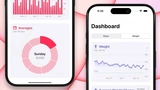
In this course, you will learn how to design and develop an iOS application using animated elements from Rive. You will create icon animations, set up unique layouts, and add custom interactions to make your application look and feel lively and modern.

Watch Online

This is a demo lesson (10:00 remaining)

You can watch up to 10 minutes for free. Subscribe to unlock all 15 lessons in this course and access 10,000+ hours of premium content across all courses.

View Pricing
0:00
/
#1: Build an Animated App with Rive and SwiftUI

All Course Lessons (15)

#Lesson TitleDurationAccess
1
Build an Animated App with Rive and SwiftUI Demo
09:56
2
Background Animation in Rive
08:24
3
Button Animation in Rive
10:52
4
Custom Fonts
14:40
5
Custom Modal
12:54
6
Modal Transition
12:15
7
Loading and Success Animation
13:06
8
Tab Bar Animated Icons
09:15
9
Tab Bar Selection
07:15
10
Icon Animation in Rive
13:45
11
Layout and Card Components
18:04
12
Side Menu Animated Icons
10:48
13
Side Menu Selection
10:33
14
Side Menu Animation
06:53
15
Main View Animation
15:22

Unlock unlimited learning

Get instant access to all 14 lessons in this course, plus thousands of other premium courses. One subscription, unlimited knowledge.

Learn more about subscription

Comments

0 comments

Want to join the conversation?

Sign in to comment

Similar courses

Build a SwiftUI app with Claude AI

Build a SwiftUI app with Claude AI

Sources: designcode.io
This comprehensive course on SwiftUI combines modern capabilities of artificial intelligence with practical development. You will go through the entire...
9 hours 5 minutes 44 seconds
Learn And Code With Enid

Learn And Code With Enid

Sources: Learn And Code With Enid
With LACWE, you will learn about Swift, SwiftUI, UIKit, Xcode, design, and other topics with visual graphics. Most of LACWE’s content is organized in series, so it guides you st...
Build SwiftUI apps for iOS 18 with Cursor and Xcode

Build SwiftUI apps for iOS 18 with Cursor and Xcode

Sources: designcode.io
In this course, we will explore the new features of SwiftUI 6 and Xcode 16 for creating applications for iOS 18. You will learn how to work with mesh gradients,
4 hours 35 minutes 14 seconds
Ultimate SwiftUI Mock Interview AppStore

Ultimate SwiftUI Mock Interview AppStore

Sources: letsbuildthatapp
Ready to become a professional developer? After this course, you'll be ready for any type of interview. Prerequisites: Basic SwiftUI skills, Understanding of networking.
5 hours 11 minutes 38 seconds
Exploring UIKit Internals with Hopper Disassembler

Exploring UIKit Internals with Hopper Disassembler

Sources: kodeco.com (ex raywenderlich)
Explore private UIKit APIs using the reverse engineering tool Hopper Disassembler and then use your advanced knowledge of UIKit's hidden secrets to your advanta
32 minutes 37 seconds