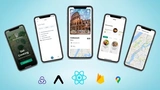
Unlock the Power of Universal AI Recording with our comprehensive course that guides you through creating an AI recorder using cutting-edge technologies such as NativeWind. Master styling techniques, explore Expo API routes, and develop a refined, responsive interface compatible across iOS, Android, and Web platforms.
Course Overview
This course is designed to provide you with an in-depth understanding of building a universal AI recorder. By the end, you’ll be equipped with the skills to seamlessly integrate innovative styling and functionality using NativeWind, Clerk, and Drizzle.
Key Technologies Covered
- NativeWind: Customize and style your AI recorder effortlessly.
- Clerk: Implement user authentication and management for secure access.
- Drizzle: Streamline your database operations with ease.
Learning Outcomes
Upon completing this course, you will:
- Understand the fundamentals of responsive design and cross-platform functionality.
- Gain proficiency in using Expo API routes for dynamic web and mobile applications.
- Create a polished, efficient user interface tailored to both web and mobile users.
Why Enroll?
Whether you're a seasoned developer or just starting out:
- Enhance your development portfolio with a unique project.
- Expand your skills and confidently tackle real-world applications.
- Connect with a community of like-minded learners and experts.