
UI/UX Design
50 courses4 categories
Part of LearnDesign
UI/UX design is the discipline of designing software interfaces that real users can understand and use. The topic is deliberately scoped to product design — the work of designing web and mobile applications — and not to generic graphic design or illustration. The day-to-day skill set is design-tool fluency, interaction patterns, accessibility, and design-system thinking, sitting next to enough user-research and prototyping practice to test ideas before engineering builds them.
Figma has become the default design tool by a wide margin — Auto Layout, Variants, Variables, FigJam for whiteboarding, and Dev Mode for handoff have collapsed most of the previous tool fragmentation into one product. Sketch still has an installed base on Mac-only teams. Adobe XD is effectively in maintenance mode after Adobe's failed Figma acquisition. The new entrants worth watching are Penpot (open-source) and the AI-assisted tools (Galileo, Uizard) that turn prompts into Figma frames. Underneath the tools sit the patterns that matter more than the software: design tokens, component libraries, accessibility (WCAG 2.2), responsive layout, and the handoff workflow with engineering.
What you'll find under this topic
- Figma: Auto Layout, Variants, Variables, Dev Mode, prototyping, plugins
- Sketch and Adobe XD for teams still on those tools
- Design systems: tokens, component libraries, documentation, versioning
- Interaction design: micro-interactions, motion, navigation patterns
- UX research: interviews, usability tests, surveys, analytics-driven iteration
- Accessibility in design: WCAG 2.2, color contrast, focus states, screen-reader UX
- Mobile design: iOS Human Interface Guidelines, Material Design 3
Product designer roles exist at every software company that has more than a handful of engineers — SaaS platforms, fintechs, e-commerce, healthtech. The career path runs from junior product designer to senior, then either staff/principal IC or design management. The pay ladder mirrors engineering at most well-known tech employers.
Categories(4)


Courses(50)
Showing 1–30 of 50 courses
 NewThe advanced web design course will help you master modern tools, create professional layouts, and build a portfolio for confident growth.9h 35m
 NewStudy digital ethics, data protection, accessibility, and the responsible application of AI to create reliable products.2h 13m
 NewThe course helps to master the basics of artificial intelligence and the strategic implementation of AI, developing the key skills of a modern AI leader.29h 16m
 NewThe advanced course on working with ChatGPT will teach you how to create workflows, automate tasks, analyze data, and prepare materials professionally.1h 51m
 NewThe course on Agile UX helps integrate UX into agile development, improve team processes, and enhance product quality based on research.3h 53m5/5
 NewA practical course on creating strategic UX vision, shaping UX outcomes, and integrating UX strategy into product development for designers and managers.7h 58m
 NewA practical course on creating UX metrics related to real user outcomes. Learn to measure the impact of UX and enhance the value of the product.6h 32m
 NewThe course helps to master strategic UX research, increase influence on product strategy, and build a systematic analysis of user experience.6h 28m
 Updated 3mo agoThe practical course on UI/UX design will help you master UX auditing, interface analysis, and redesign to confidently improve real products.52m
 Updated 5mo agoThe course will help designers develop product thinking, influence decisions, work with stakeholders, and shape product strategy.4h 42m
 Updated 5mo agoLearn to create unique and memorable websites, discovering new creative freedom. Template-free design, suitable for all experience levels.7h 45m5/5
 Updated 6mo agoMaster the creation of design systems in Figma. A course for designers, developers, and managers seeking efficient work practices and up-to-date knowledge.12h 20m
 Updated 6mo agoLearn how to plan pages, code views, add clean moves, and prerender a Vue 2 site so search engines can read it. This helps you build clear fast pages.1h 48m
 Updated 7mo agoAn advanced course on the interaction of AI and design systems. Learn methods for implementing modern technologies to improve the quality of digital products.8h 15m5/5
 Updated 1y agoLearn Figma through clear steps and real examples. This course helps you build strong habits and apply design skills with confidence.11h 19m
 Updated 1y agoA deep and comprehensive course on design tokens: from concepts and variables in Figma to code, processes, best practices, and much more.13h 27m
 Updated 2y agoFigma Mastery is an extensive guide designed to transform how you use Figma, guiding you through every stage of the design process—right from setting up.5/5
 ClassicTransform your visual design skills with Pablo Stanley and his team. This course will help you elevate your project quality and engage clients with a distinctiv10h 56m5/5
 Updated 2y agoUsing the latest best practices in Web Design and Mobile Design as well as User Interface and User Experience Design (UI/UX), this course focuses on efficiently20h 31m
 Updated 2y agoThis course is designed for those who want to go beyond theoretical knowledge and develop skills in working with production code.8h 52m5/5
 Updated 2y agoMaster the skills that help designers get promoted. Knowing all the tricks in Figma does not guarantee a promotion. Learn 12 skills.6h 28m
 Updated 1mo agoA complete guide to product design interview exercises: a 7-step method, 30+ sample tasks, worked solutions, and portfolio advice.2h 19m
 Updated 2y agoCreate with Airtable, Use Everywhere Learn to quickly create an inventory with Airtable and easily integrate it with tools like Figma, Jira, Slack, GitHub.37m
 Updated 1mo agoLearn to adapt grid and layout systems across web, mobile, and wearable UI, taught through practical assignments by a senior product designer.7h 6m
 Updated 1mo agoBuild a solid UI design foundation: color theory, typography, grids, common components, and designing across devices and platforms.4h5/5
 Updated 1mo agoMaster typography for UI design across web, mobile, and wearables, taught through hands-on assignments by an experienced product designer.4h 53m
 Updated 2y agoThis course gives you clear and practical color skills for UI design. You learn from a senior product designer with years of real project work.5h 35m
 Updated 2y agoUncover the secrets of senior UI designers. Have you ever wondered how professionals create stunning interfaces?12h 8m5/5
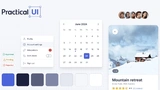 Updated 2y agoLearn how to build clean and fast designs in Figma. Use ready components, smart layouts, and clear styles to help you shape sites and apps with ease.
 Updated 2y agoThis workshop is designed to help you achieve 'pixel-perfect' design implementations, bridging the fidelity gap between design and development.2h 40m
Related topics
Frequently asked questions
- Can engineers really learn UI/UX design?
- Yes — at least to the level of being a strong design partner. You won't replace a senior designer with a few months of study, but learning visual hierarchy, typography, colour systems, spacing, and accessibility makes you a noticeably better frontend engineer. Many strong solo founders and small-team engineers are competent designers by necessity.
- What software do designers actually use?
- Figma dominates — almost every modern team uses it for product design, prototyping, design systems, and engineer handoff. Sketch and Adobe XD are mostly historical. For motion and prototyping specifics, designers reach for Framer, Principle, Rive, or LottieFiles. Engineers consuming designs should be fluent in Figma; producing them is the same.
- How important is accessibility in modern UI work?
- Increasingly central. Regulatory pressure (EU Accessibility Act in 2025, expanded ADA enforcement) and product expectations have moved accessibility from an afterthought to a baseline. Strong UI engineers understand semantic HTML, keyboard navigation, screen reader behaviour, contrast ratios, and ARIA. Most senior frontend job postings now list a11y explicitly.
- Should engineers learn design systems?
- Yes — design systems are where engineering and design overlap most. Understanding tokens, component composition, primitives versus patterns, and theming separates strong frontend engineers from the average. Even if you never own a design system, you'll consume one daily and your work improves significantly when you understand how it's structured.
- How long does it take to develop a 'designer's eye'?
- Months to years of deliberate practice. Read design books (Refactoring UI is a strong starting point), study products you respect by reverse-engineering their decisions, and copy real designs until your visual judgement catches up. The improvement is gradual but very real — most engineers who commit to it ship dramatically better-looking products within a year.