UI/UX Design · 2026 edition

10 Best UI/UX Design Courses 2026

We ranked every UI/UX Design course in the CourseFlix catalog by community upvotes, freshness, and recent activity. Here are the 10 that keep climbing the list in 2026 — short reasons why for each, plus a comparison table so you can pick the one that fits your time budget and experience level.

Part of CourseFlix · Design

At a glance

# Course Duration Rating Lessons Access
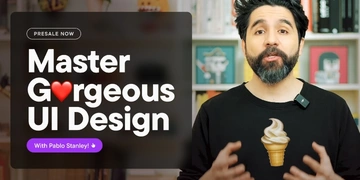
1 Master Gorgeous UI Design 10h 56m 5/5 (4) 62 Premium
2 Shift Nudge – Interface Design Course (PRO packet) 105h 34m 679 Premium
3 Figma Mastery - The ultimate Figma course for new and struggling designers 89 Premium
4 The 30-Day Design Challenge 8h 52m 53 Premium
5 UI Design Demo Videos Vault 12h 8m 15 Premium
6 Beginner Figma Video Course 3h 22m 36 Premium
7 UI Design Foundations 4h 55 Premium
8 Learn Figma - UI/UX Design Essential Training 3h 55m 42 Premium
9 Figma for Web Designers 5h 31m 30 Premium
10 Complete Web Design: from Figma to Webflow to Freelancing 19h 10m 179 Premium

Top 10 UI/UX Design courses

  1. by Pablo Stanley (Together Art)

    ⏱ 10h 56m ★ 5/5 (4) 📚 62 lessons

    Elevate your visual design skills with industry expert Pablo Stanley and his team. This comprehensive course empowers you to enhance your project quality and captivate clients with a unique aesthetic vision. Dive into the fundamental concepts of UI, including typography, layou

    View course

  2. by ArjanCodes (Arjan Egges)

    ⏱ 8h 52m ★ — 📚 53 lessons

    This course is designed for those who want to go beyond theoretical knowledge and develop skills in working with production code. Regardless of your level of experience - whether you are a junior developer looking to improve your skills or a data specialist who wants to structure

    View course

  3. by Andrija Prelec

    ⏱ 12h 8m ★ — 📚 15 lessons

    Uncover the secrets of senior UI designers. Have you ever wondered how professionals create stunning interfaces? The UI design demonstration video library offers you a unique opportunity to see the entire creative process live. Gain valuable insights and learn practical tips t

    View course

  4. by Andrija Prelec

    ⏱ 3h 22m ★ — 📚 36 lessons

    Start your design journey with the most popular design application, Figma. This beginner video course will help you learn by doing and enhance your skills in this leading design tool. Why Choose Figma? Figma's prominence in the design world is undeniable, especially in th

    View course

  5. by Andrija Prelec

    ⏱ 4h ★ — 📚 55 lessons

    Unlock your potential in UI design by building a strong foundation and acquiring the essential knowledge and skills to create engaging digital interfaces. Key Principles of UI Design Master the core principles of UI design to deliver intuitive and aesthetically pleasing u

    View course

  6. by Udemy

    ⏱ 3h 55m ★ — 📚 42 lessons

    Figma is a very powerful application that runs online. There are virtually no platform boundaries when it comes to using figma because you can design within a web browser or using their desktop application made for windows and macs. Figma is similar to Sketch and Adobe XD but is

    View course

  7. by Flux Academy (Ran Segall)

    ⏱ 5h 31m ★ — 📚 30 lessons

    If you've ever found yourself overwhelmed by Figma's extensive features or wished your workflow could be more efficient for web design projects… Then this course is your golden ticket to web design mastery using Figma. We've joined forces with Maddy Beard, a

    View course

  8. by Udemy

    ⏱ 19h 10m ★ — 📚 179 lessons

    It gives you a huge self-satisfaction when you look at your work and say, "I made this!". I love that feeling after I'm done working on something. When I lean back in my chair, look at the final result with a smile, and have this little "spark joy" moment.

    View course

How to pick the right course

Three signals matter most when filtering this list:

  1. Match your level. A polished "complete guide" is wasted on someone already 6 months into ui/ux design; conversely a deep-dive on internals will frustrate someone still learning syntax. The descriptions below flag "beginner / intermediate / advanced" where the author named it.
  2. Match your time budget. If you have one weekend and want fundamentals, a 6-hour course beats a 40-hour one. Long courses pay off when you're committing to a career-grade skill — not for evaluating whether to commit.
  3. Check the freshness badge. UI/UX Design moves fast in some areas (frameworks, security patches, model APIs) and slowly in others (fundamentals). A course flagged "updated" was meaningfully touched in the last 12 months; "classic" is older but kept its rating, usually because the fundamentals haven't shifted.

Frequently asked questions

What is the best UI/UX Design course for beginners in 2026?

For absolute beginners the #1 pick on this page is the most balanced choice — it assumes no prior experience and covers fundamentals before moving on to intermediate topics. If you prefer a project-led approach, scan the descriptions below for courses that build something end-to-end; if you want a structured curriculum, look for ones that flag a syllabus.

How long does it take to learn UI/UX Design?

Most courses on this list run between 10 and 40 hours of video content. A reasonable pace for a working professional is 1–2 hours of focused study per weekday: at that rate even the longest course on this page finishes in 4–6 weeks. Add roughly the same amount of time for exercises and side projects — passive watching is the slowest way to learn.

Are any of these UI/UX Design courses free?

Each row in the table below shows a Free or Premium tag. Free courses are uploaded by the original author or a community curator and stay available indefinitely on CourseFlix. Premium picks unlock with a single subscription that also covers everything else in the catalog. We don't rank free courses lower — the ordering reflects votes and freshness only.

What's new in UI/UX Design in 2026?

The list refreshes every quarter based on community votes and new releases — so anything outdated drops off and recent courses surface as their vote count climbs. If a course was strong in 2026 but the underlying technology has since shifted (framework majors, API breaks, new tooling), the freshness badge on the card will warn you. When in doubt, sort the catalog by the Updated date on /topic/master-gorgeous-ui-design.

Which UI/UX Design course should I take first?

Start with the #1 pick. If after the first hour the pace feels wrong (too slow for you, or too fast), bounce to #2 — they're picked to cover the same ground from different angles. The comparison table makes it easy to spot total duration and prerequisite hints. If you already have related experience, skip to a course that flags itself as intermediate or advanced.

Looking for more than the top 10?

Browse the full UI/UX Design catalog