Unlock your creative potential with our comprehensive Adobe After Effects for Beginners course. Guided by video production expert Dave Bode, this extensive 4.5-hour journey will take you from a complete novice to a confident user. You'll begin by mastering the interface before exploring essential tools, efficient workflows, and the intricacies of keyframing. Additionally, we delve into compositing techniques, including comps and precomping, and creative elements like shapes and masks. Finally, cement your new skills by creating a professional lower third from scratch.
Course Content Overview
In this section, you'll discover what each module entails and how it contributes to your learning of Adobe After Effects.
Introduction to the Interface
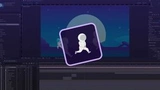
Start your journey by familiarizing yourself with the After Effects interface, understanding its layout, and learning how to navigate through its features.
Essential Tools and Workflow
Gain insights into the core tools of After Effects and develop an efficient workflow that maximizes productivity and creative output.
Keyframing and Animation
Learn the art of keyframing to bring your animations to life smoothly and realistically.
Compositions and Precomposition
Dive into the world of comps and precomps to neatly organize your projects and enhance your workflow management.
Shapes and Masks
Explore the potential of shapes and masks, and learn how to integrate them creatively into your projects.
Practical Project: Building a Lower Third
Put your skills to the test by constructing a lower third from scratch, applying everything you've learned to produce a professional result.
Meet Your Instructor: Dave Bode
With a wealth of experience in video production, Dave Bode is your perfect guide. His passion for teaching and in-depth knowledge of After Effects make this course both informative and engaging.
Why Choose This Course?
- Step-by-step guidance from a seasoned expert.
- Comprehensive coverage suitable for absolute beginners.
- Hands-on projects to reinforce learning.
- Develop practical and professional skills for real-world applications.
Don't miss the opportunity to learn Adobe After Effects and take your video editing skills to the next level. Enroll now to start creating stunning visual effects!