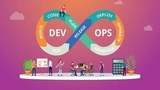
In this course, you learn DevOps from the ground up. You start with simple command‑line skills. Then you move through real tools, cloud services, and full project builds. Each step shows you how these tools work together. By the end, you can set up and run your own DevOps projects with confidence.
Step 1: Linux and Setup
You begin with core Linux skills. You work with servers, networks, and local VMs. This gives you a strong base before you move to cloud work.
- Linux basics
- Server setup and management
- Vagrant
- Networking basics
- Project
- Vprofile project setup on VMs
Step 2: Bash Skills
You learn to write simple scripts. You use loops, conditions, and variables. You also write scripts that help you manage daily admin tasks.
- Bash scripting
- Scripting basics
- Variables, conditions, loops
- Automating admin tasks
Step 3: AWS Basics
This step gives you a clear start with AWS. You learn core services that support real apps. You then move your project into the cloud.
- Cloud basics
- IAM
- EC2, EBS, ELB
- S3
- CloudWatch
- RDS
- Auto Scaling
- Route 53
- Project
- AWS setup for lift and shift
- Re‑architecting the web app on AWS
Step 4: CI with Git and Jenkins
You learn Git for version control. Then you build and test code with Maven. After this, you set up CI flows with Jenkins.
- Git and GitHub
- Maven build and test
- CI basics
- Jenkins
- Jenkins as a build server
- Build, test, deploy, notify jobs
- Master and agent setup, Nexus, SonarQube
- Pipeline setup
- Admin tasks
- Project
- CI with Jenkins, Nexus, SonarQube, and Slack
Step 5: Python Basics
You learn Python for small scripts. You work with data types, loops, and functions. You also write scripts to manage OS tasks.
- Python scripting
- Programming basics
- Variables, data types, loops, functions, modules
- Python for OS automation
Step 6: Ansible
You learn how to automate servers with Ansible. You write playbooks, work with roles, and manage cloud tasks.
- Ansible intro
- Ad hoc commands
- Modules
- YAML basics
- Playbooks
- Vars, conditions, loops
- Handlers, templates
- Variables deep dive
- Roles
- Ansible with AWS
- Project
- CD and config management with Jenkins and Ansible
Step 7: AWS Part 2
You build deeper AWS skills. You work with VPC, logs, and metrics. You also deploy the full app with AWS DevOps tools.
- VPC in depth
- Log work and custom metrics
- Project
- Vprofile on Beanstalk and RDS
- CodeCommit, CodeBuild, CodePipeline
- CI and CD on AWS for Vprofile
- Beanstalk, RDS, CodePipeline
Step 8: Containers and Kubernetes
You learn Docker and Kubernetes. You build images and run multi‑container apps. Then you deploy the full project on Kubernetes.
- Docker intro
- Containers: volumes, network, logs
- Images for Vprofile
- Docker Compose for multi‑container setup
- Kubernetes intro
- Kubernetes setup for production
- Kubernetes objects
- Pods, Services, Controllers, Deployments
- Replication, autoscaling, quotas, secrets, config maps, namespaces
- Project
- Vprofile project on Kubernetes
Step 9: IaC Tools
You end with infrastructure as code. You set up cloud resources with Terraform and CloudFormation.
- Terraform for AWS automation
- CloudFormation for AWS automation