The course teaches how to use Cursor to accelerate software code development. The course covers working with various features of Cursor, demonstrates best practices for using artificial intelligence in programming, and helps increase productivity.
Cursor: Learn to Code with AI
4h 50m 14s
English
Paid
Added to CourseFlix
Cursor: Learn to Code with AI is a 37-lesson 4 hours 50 minutes self-paced course by Mckay Wrigley. The course teaches how to use Cursor to accelerate software code development.
Course facts
- Lessons
- 37
- Duration
- 4 hours 50 minutes
- Language
- English
- Added to CourseFlix
- November 2024
- Instructor
- Mckay Wrigley
- Price
- Premium
Additional
Who teaches Cursor: Learn to Code with AI? Mckay Wrigley

Mckay Wrigley is a US developer and AI educator who runs Takeoff AI, an applied-AI engineering academy that has grown into one of the most active LLM-focused course platforms on the market. He publishes daily on X / Twitter, is widely cited for his ChatGPT / Claude-integration tutorials, and has one of the larger independent applied-AI followings.
His CourseFlix listing carries sixteen Takeoff courses — covering everything from foundational LLM-integration with the OpenAI and Anthropic APIs through RAG pipelines, AI-assisted coding workflows, and full-stack AI product builds. Material is paid and aimed at working developers who want to ship AI features into real products rather than read survey-style introductions to the field.
What lessons are included in Cursor: Learn to Code with AI?
0:00
/ #1: 1.1 What is Cursor?
All Course Lessons (37)
| # | Lesson Title | Duration | Access |
|---|---|---|---|
| 1 | 1.1 What is Cursor? Demo | 04:12 | |
| 2 | 2.1 Signing Up | 03:01 | |
| 3 | 2.2 Installation | 00:52 | |
| 4 | 2.3 Recommended Settings | 15:28 | |
| 5 | 2.4 Custom API Keys | 02:35 | |
| 6 | 2.5 Project Setup | 05:24 | |
| 7 | 3.1 Intro | 04:31 | |
| 8 | 3.2 Autocomplete | 12:52 | |
| 9 | 3.3 New vs. Edit | 03:49 | |
| 10 | 3.4 Prediction | 08:40 | |
| 11 | 3.5 Context | 06:38 | |
| 12 | 3.6 Rewrites | 07:24 | |
| 13 | 3.7 Putting It Together | 07:59 | |
| 14 | 4.1 Intro | 02:15 | |
| 15 | 4.2 AI Sidebar | 04:42 | |
| 16 | 4.3 Codebase Chat | 06:42 | |
| 17 | 4.4 File Tagging | 09:24 | |
| 18 | 4.5 Instant Apply | 11:08 | |
| 19 | 4.6 Debugging | 04:00 | |
| 20 | 4.7 Attach Images | 04:06 | |
| 21 | 4.8 Web Search | 03:36 | |
| 22 | 4.9 Putting It Together | 08:44 | |
| 23 | 5.1 Intro | 01:27 | |
| 24 | 5.2 Edits | 07:45 | |
| 25 | 5.3 Terminal | 04:57 | |
| 26 | 5.4 Quick Question | 03:32 | |
| 27 | 5.5 Putting It Together | 09:50 | |
| 28 | 6.1 Setup | 03:25 | |
| 29 | 6.2 Example | 15:00 | |
| 30 | 7.1 Intro | 01:33 | |
| 31 | 7.2 Voice | 08:48 | |
| 32 | 7.3 Markdown Todos | 10:11 | |
| 33 | 7.4 Prompt Files | 08:27 | |
| 34 | 7.5 Composer Projects | 10:24 | |
| 35 | 7.6 UI with V0 | 16:05 | |
| 36 | 7.7 Using Perplexity | 05:22 | |
| 37 | 8.1 Your 1st AI Chat App | 45:26 |
Watch the other 36 lessons
One payment unlocks this course and every other premium course. No auto-renew.
See plansWhat courses are similar to Cursor: Learn to Code with AI?
 Updated 1y ago
Build and Deploy a Lovable Clone
By: Antonio Erdeljac (Code With Antonio)Unlock the potential of AI in application development with this comprehensive course, where you will build and deploy an innovative AI platform from scratch.10h 34m Updated 1y ago
Build a React Native app with Claude AI
By: DesignCode (Meng To)This comprehensive course is dedicated to integrating advanced AI tools into the workflow of development in React Native, which allows for a radical change in a13h 53m5/5 Updated 1y ago
Building Apps with o1 Pro Template System: Part 1
By: Mckay WrigleyWelcome to the first part of our comprehensive two-part course! In this module, you will gain a foundational understanding of creating applications using the.4h 4m5/5 Updated 7mo ago
AI for Developers With Deadlines
By: Big MachineLearn how to safely and effectively integrate AI into everyday development. Practical methods, patterns, and tips will strengthen your skills without risks.1h 37m5/5 Updated 6mo ago
3 Day AI Coding Accelerator
By: Jason Liu, Vignesh MohankumarMaster AI workflow for accelerated development. Real cases and tools used by engineers. Trusted by over 200 developers.15h 31m5/5 Updated 1y ago
Cursor AI - Ultimate Course
By: Kevin KernThe course "Cursor AI: A Complete Guide for Developers" is designed for developers aiming to accelerate the process of creating websites.6h 52m5/5 Updated 4mo ago
Become an Agentic Architect
By: Carmelo IariaMaster agent architecture and create an AI application in 6 weeks. Become an indispensable orchestrator of intelligent agents and boost your career.7h 6m5/5 Updated 11mo ago
Advanced Context Engineering with Claude Code
By: egghead.ioLearn context management for AI in the Claude Code course. Discover tools, frameworks, and techniques for predictable artificial intelligence outcomes.12m5/5
More courses by Mckay Wrigley
 Updated 1mo ago
v0 Crash Course
Fast, practical crash course on Vercel's v0: generate, refine, and scale responsive UI components straight from text prompts.47m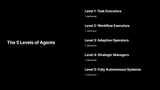 Updated 1mo ago
5 Levels of Agents - Coding Agents
Build coding agents through five levels of complexity, from basic code review bots up to text-to-function generators, hands-on.5h 4m5/5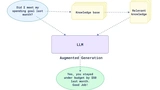 Updated 1mo ago
RAG (Retrieval)
Learn to build Retrieval-Augmented Generation systems: vector search, neural re-ranking, and hybrid retrieval strategies.4h 33m5/5 Updated 2y ago
Building Full-Stack Apps with AI
The course "Building Full-Stack Apps with AI" teaches how to create full-fledged applications using artificial intelligence.8h 3m3/5 Updated 1mo ago
Replit Agent
5 hands-on lessons on the Replit Agent: write good prompts, build small apps, and test and fix code alongside an AI coding agent.30m5/5
Frequently asked questions
What are the prerequisites for enrolling in this course?
The course does not specify any formal prerequisites, but a basic understanding of software development concepts would be beneficial. The lessons cover fundamental aspects such as signing up, installation, and recommended settings, which suggests the course is suitable for beginners looking to enhance their programming skills with AI tools.
What kind of projects will I work on during the course?
The course includes practical exercises such as setting up projects, using AI for code prediction and rewriting, and developing a first AI chat application. These projects help students to practically apply the features of Cursor in real-world scenarios, enhancing their coding productivity.
Who is the target audience for this course?
The course is intended for software developers interested in integrating AI into their coding workflow. Whether you are a beginner looking to improve your coding skills or an experienced developer wanting to leverage AI for productivity, the course provides tools and techniques applicable to various levels of expertise.
How does this course compare in depth and scope to other AI coding courses?
This course focuses specifically on using Cursor to enhance coding productivity with AI. Covering 37 lessons, it dives into features like autocomplete, prediction, and codebase chat, offering a detailed exploration of AI-enhanced coding. Compared to broader AI courses, this is specialized in its application to programming with Cursor.
Which specific tools or platforms will I learn to use?
Students will learn to use Cursor, an AI tool for coding, along with features such as the AI sidebar, file tagging, and codebase chat. The course emphasizes practical applications of these tools, including project setup, debugging, and instant apply functionalities, to streamline the coding process.
What topics are not covered in this course?
The course does not cover broader AI concepts or programming languages beyond the context of using Cursor. It is tailored to those who want to improve productivity through AI in software development, rather than providing a deep dive into AI theory or unrelated coding topics.
What is the time commitment expected for completing this course?
The course consists of 37 lessons. While the total runtime is not specified, students can expect to invest a significant amount of time to adequately explore features like autocomplete, debugging, and AI chat application development. Self-paced learning allows flexibility, but a regular study schedule is recommended for mastery.