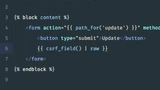
Explore the seamless integration of views in Slim 3 on PHP with CodeCourse's tutorial. Unravel the complexities of route management by harnessing the Twig view component. This guide empowers you to declutter your codebase and enhance the efficiency of your web applications. Join us on a journey to streamline your development process and master the art of creating clean and dynamic views with Slim 3 and Twig. Elevate your PHP programming skills today!
Understanding Slim 3 and Twig
Slim 3 is a popular PHP micro-framework that allows developers to quickly create powerful web applications. Twig is a templating engine for PHP, known for its flexibility and ease of use. When combined, they offer a powerful solution for managing views and routes effectively.
Key Components of Slim 3
- Routing: Direct requests to the appropriate handlers with minimal effort.
- Middleware: Enhance your application by adding layers of processing.
- Dependency Injection: Easily manage and inject dependencies within your application.
Benefits of Using Twig
- Clear Separation of Logic and Design: Keep your code clean by separating PHP logic from your HTML.
- Easy Template Inheritance: Create reusable layouts and components.
- Security: Built-in features like automatic escaping to prevent XSS attacks.
Integrating Twig with Slim 3
The integration of Twig with Slim 3 involves a few simple steps that can vastly improve the efficiency and clarity of your web application development.
Step-by-Step Guide
- Install the Twig component via Composer.
- Configure the Twig view component within the Slim 3 application.
- Create templates using Twig syntax for dynamic view rendering.
- Utilize Slim's routing to map requests to these views efficiently.
Enhancing Application Performance
By employing Twig's caching capabilities and Slim 3's efficient routing, developers can significantly enhance the performance of their applications. Improved performance leads to a better user experience and higher application scalability.
Best Practices for Optimization
- Enable Twig Caching: Reduce template processing time by caching compiled templates.
- Optimize Asset Management: Use tools like Grunt or Gulp to manage and minify assets.
- Profile and Monitor: Utilize application profiling tools to monitor performance bottlenecks.