Digital Project Management is a 214-lesson 17 hours 53 minutes self-paced course by SuperHi. Built in partnership with Louder Than Ten, this course treats project management as fundamentally a people problem — the process matters, but the relationships around it matter just as much.
Course facts
Lessons
214
Duration
17 hours 53 minutes
Language
English
Added to CourseFlix
November 2024
Instructor
SuperHi
Price
Premium
Built in partnership with Louder Than Ten, this course treats project management as fundamentally a people problem — the process matters, but the relationships around it matter just as much.
What you'll be able to do
Set up, run and close projects without last-minute chaos
Spot red flags and risks early, and prepare for them in advance
Increase a project's value and profitability
Get teams and stakeholders working better together
Handle scope changes without derailing a project
Scope and estimate work more accurately from the start
Across 214 lessons, it's aimed at independent contractors and full-time project managers alike, building both the soft skills — setting and resetting expectations, strengthening relationships — and the practical habits that get projects across the finish line calmly.
In partnership with Louder Than Ten, our Digital Project Management course takes you on a deep dive into better ways to work with humans and complexity. The aim? For you to run healthier, happier projects in real-time.
Whether you're a freelancer or work full-time, this course will teach you smart project management principles that you can use immediately. While administering a giant boost of confidence, it'll also help you cultivate the soft and hard skills you need for setting and resetting expectations, strengthening relationships, and taking your projects across the finish line without a cold sweat.
How to set up, run, and close smooth projects
How to read, interpret, and prepare for red flags and risks
Ways to increase project value and profitability
How to champion your team and stakeholders to work better together
How to effectively handle change
How to scope and estimate your work more accurately
SuperHi was a creative technology online school founded in 2016 by Rik Lomas, focused on bringing design-school production values to coding education. The school operated until 2023, when its catalog was wound down and made available through other channels. Its course material remains some of the best work on the visual / creative end of front-end development.
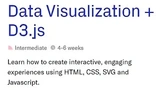
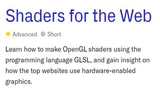
The CourseFlix listing under this source reflects the SuperHi style: Page Transitions, Shaders for the Web (GLSL via Three.js for browser-native 3D effects), Data Visualization + D3.js, and Digital Project Management. The material is aimed at designers learning to code and at developers wanting to add depth on the visual / animated side of the web rather than yet another CRUD framework.
What lessons are included in Digital Project Management?
This is a demo lesson (10:00 remaining)
Watch the first 10 minutes free. One payment unlocks all 214 lessons here and every other premium course. No auto-renew.
Our Data Visualization course focuses on the practical aspects of working with data. In our 6-week long course, we’ll cover the basics of storytelling and worki
Integrate the Barba.js Javascript library into your websites and use CSS and Javascript techniques to add smooth and harmonious effects.
4h 10m
Frequently asked questions
What prerequisites are needed for this course?
The course does not specify any formal prerequisites, but having a basic understanding of project management concepts could be beneficial. The lessons cover fundamental topics like the digital project lifecycle, internal and external stakeholders, and various communication styles, which should help students without prior experience get up to speed quickly.
What types of projects will I learn to manage in this course?
The course includes lessons on managing digital projects, focusing on both the technical and interpersonal aspects. Students will learn about stakeholder alignment, communication channels, and project setup. There's also a specific lesson on project briefs, allowing students to understand how to structure and evaluate project documentation effectively.
Who would benefit most from taking this course?
The course is designed for individuals interested in digital project management, whether they are new to the field or looking to refine their skills. It covers various topics such as empathy mapping, stakeholder roles, and communication styles, making it suitable for those who want to enhance their ability to manage projects and work with diverse teams.
How does the course depth compare to other project management courses?
This course offers a detailed exploration of digital project management with 214 lessons covering both the theoretical and practical aspects. Unlike some introductory courses, it delves into specific areas like empathy mapping, discovery phases, and various meeting formats, providing a comprehensive understanding of handling complex digital projects.
What specific tools or platforms will I learn to use?
The course includes lessons on choosing tools and setting up Notion, a popular tool for project management and collaboration. It offers process tool tips to help students effectively manage digital projects, making it relevant for those looking to integrate specific software into their workflow.
What topics are not covered in this course?
While the course provides a broad overview of digital project management, it does not cover traditional project management methodologies in detail, such as Agile or Waterfall. The focus is more on the digital aspects and working with stakeholders rather than specific industry-standard frameworks.
What is the expected time commitment for completing this course?
The course consists of 214 lessons, but the total runtime is not specified. Students should be prepared to invest a significant amount of time to thoroughly engage with each lesson and practice the skills taught. The course structure suggests a comprehensive journey through digital project management, requiring dedication and consistent study.